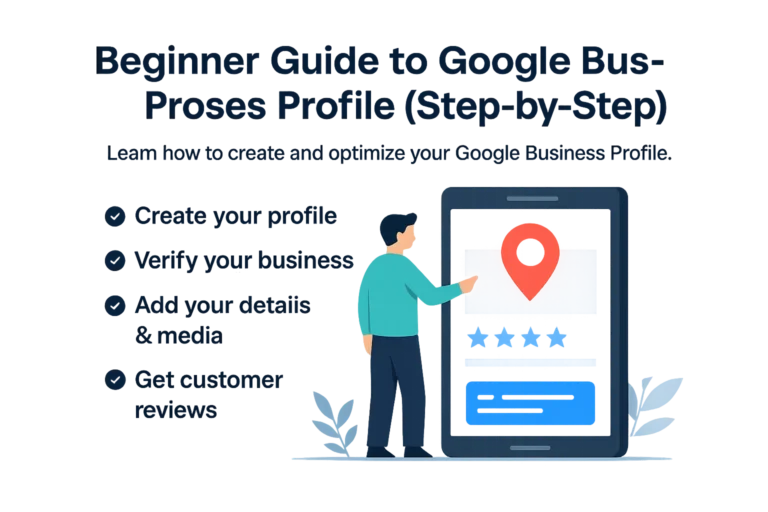
Google Business Profile setup guide for beginners

Google Business Profile Guide: Setup & Optimize in 2026

If you’re a local business owner and you aren't following a Google Business Profile guide, you are missing the single greatest opportunity to capture free local traffic. In 2026, local search intent is at an all-time high.

When potential customers search for services like “plumber near me” or “best SEO agency,” Google displays the "Local Pack" first. This Google Business Profile guide will ensure your business is the one they find.

What is a Google Business Profile?

A Google Business Profile (formerly known as Google My Business) is a free listing provided by Google that allows your company to appear on Google Search and Google Maps. This Google Business Profile guide focuses on the fact that this profile is often the first interaction a customer has with your brand.

Why Every Local Business Needs This Guide

Without a verified and optimized profile, your business effectively does not exist to the 80% of consumers who use mobile search to find local services. Following a Google Business Profile guide helps you build immediate trust through verified reviews, professional photos, and accurate contact information.


The Ultimate Google Business Profile Guide: 5 Setup Steps

Step 1: Claim or Create Your Official Listing

Start by visiting the official Google Business portal. You must use a professional Google account associated with your business. Enter your exact business name—ensure it matches your physical signage to avoid suspension. Accuracy at this stage is the foundation of any successful Google Business Profile guide.

Step 2: The Critical Verification Process

Google must confirm that your business is legitimate. This is usually done via a postcard sent to your physical address, though some businesses may qualify for phone or email verification. Verification is the most important step; your profile will not appear to the public until this is completed.

Step 3: Strategic Category Selection

Choosing your "Primary Category" tells Google exactly what you do. For example, if you are an SEO firm, don't just choose "Marketing." Choose "Internet Marketing Service." This Google Business Profile guide recommends adding "Secondary Categories" to cover all your specific services without being too broad.

Step 4: High-Quality Media & Photos

Businesses with photos receive 42% more requests for directions. Upload high-resolution images of your office exterior, your team in action, and your products. Visual proof is the fastest way to turn a searcher into a customer.

💡 Expert Tip: Don't just set it and forget it. This Google Business Profile guide suggests using "Google Posts" weekly to share updates, holiday hours, and special offers. Active profiles rank significantly higher than stagnant ones.

Step 5: Managing Reviews & Engagement

Reviews are the "social currency" of the local web. Aim to get at least 10 five-star reviews as quickly as possible. Always respond to reviews—both positive and negative—to show Google that your business is active and values customer feedback.

Common Mistakes to Avoid in 2026

  • Inconsistent NAP Data: Ensure your Name, Address, and Phone number are identical across your website and social media.
  • Ignoring Q&A: Anyone can answer questions on your profile. You should be the first one to provide accurate answers.
  • Keyword Stuffing: Do not add extra keywords to your business name (e.g., "Best Plumber Manchester Joe's Plumbing"). This will get your account banned.

Final Thoughts on Local SEO Growth

By following this Google Business Profile guide, you are taking the most cost-effective step toward dominating your local market. Once your profile is live and optimized, it works as a 24/7 lead generation machine for your business.

Your Google Business Profile is just the beginning. Let us help you rank #1 on the Map Pack and Search results today.

Get Your Free Local SEO Audit